
Free training: Toad for Oracle Fundamentals
When you buy a new product, there’s no better place to start than at the beginning—unless you’re one of those people who doesn’t read the directions. If that’s the case, then we won’t be assembling an...

When you buy a new product, there’s no better place to start than at the beginning—unless you’re one of those people who doesn’t read the directions. If that’s the case, then we won’t be assembling an...
Did you know that Toad® for Oracle can allow you to track Tablespace Usage historically and even forecast how much space you’ll need going forward? Knowing this information is critical for planning pu...
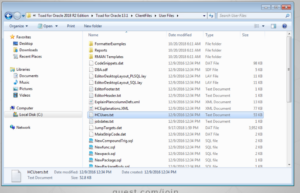
Congratulations, you just received a new computer. How do you move your existing Toad settings to the new computer? It is a great and exciting day. Your company has finally agreed to provide you wi...
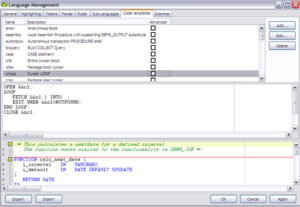
DID you know that TOAD comes with a ton of code templates? These templates often have substitution variables as well. CTRL+ Space bar signals ALL of the templates. You can type in a template name,...
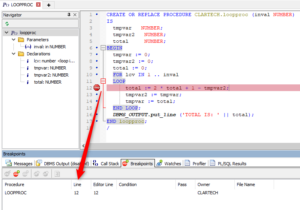
In this article we will learn how Toad for Oracle can help us debug PL/SQL code in very simple ways, allowing us to go through the code a line at a time, view variable content, start or stop execution...
Go to View –> Toad Options Go to Editor –> Font and Styling in the left menu Make any changes to colors, fonts, and font sizes for various types of content In early releases: Go to the Editor→Behav...
Hi, This article hopes to compare Toad v13.0 and SQL Developer v18.1 a bit. Since I work with both tools in my training business, people often ask me to point out the differences in the two. I hope to...
Code Tester for Oracle 3.3 is now GA! We recently released a new version of Code Tester for Oracle which provides the following enhancements: A front end debugging option was added to the CTO tracin...
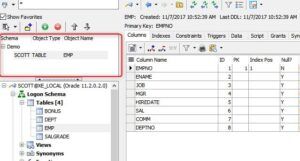
The Schema Browser is an interface that allows us to work with various objects in the database. To learn about this interface, we first open Toad and connect to a database schema. For this example, w...
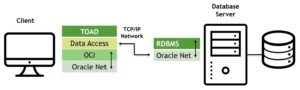
In this article we are going to learn the three ways in which we can connect to our Oracle database using Toad for Oracle. First of all, in order to work with this tool, we need to have Oracle databa...
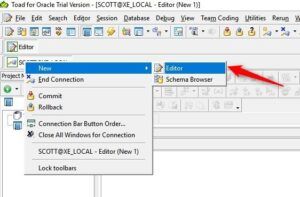
In this article, we will learn how to use the Toad for Oracle Editor Window. This tool provides us with a simple editor for working with SQL queries, PL/SQL code and more! This editor is the main int...