


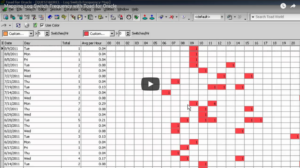
The Log Switch Frequency screen shows when your database performs a log switch. Many DBA’s aim to size their redo logs so that there are few log switches per hour. Frequent log switches can dramatically decrease performance, and infrequent log switches can increase database startup times. You can use this window to judge the balance of log switches.

About the Author
With over four decades in IT, Amit has held diverse roles in pre/post-sales consulting, product and project management, IT delivery, software development, and systems administration. As a trusted advisor, he helps businesses overcome challenges through technology-driven solutions that drive success. Amit currently serves as Strategic Solutions Principal Sales Engineer at Quest, where he leverages his deep expertise to align innovative technologies with business needs. A seasoned speaker at global conferences and user groups, Amit excels in applications and database performance management, with expertise across major RDBMS and NoSQL platforms. His current focus includes observability, cloud-native data platforms, cybersecurity, AI, and machine learning. Beyond tech, Amit is passionate about cricket—an ICC Certified coach and umpire who lives by the motto: "Cricket is Life. Life is Cricket!"
Related Articles

Toad DevOps Toolkit and PowerShell…step by step
Introduction When first looking at TDT, it can be a very intimidating product. Of course, the same can be said of SQL*Plus. Both are very powerful but both require a level of understanding about wha...

Why can’t database ops align with DevOps processes?
The Toad is on the case. As the Toad evolves to ease challenges presented by DevOps, the November, new release of Toad for Oracle 13.2 will include a new utPLSQL unit test creation module in all Toad ...
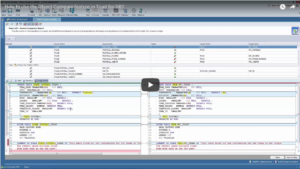
How to use the Object Compare feature in Toad for DB2
Quite often DBAs and Developers are charged with rolling out new changes to their database objects. They might need to ensure their test database reflects their production environment or they might ta...