



This video shows how to auto-optimize SQL code with Toad for Oracle Xpert Edition.

About the Author
John Pocknell is a senior market strategist at Quest Software and part of the Information Management business unit. Based at the European headquarters in the U.K., John is responsible for synthesizing analyst data and customer interviews in order to create and evangelize solutions-based stories and messaging which relate to major IT initiatives for our extensive portfolio of database products, worldwide. He has been with Quest Software since 2000, working in the database design, development and deployment product areas and spent over 10 years as product manager for the Toad product line. John has been successfully evangelizing Toad and other database solutions at various conferences and user groups around the world for the last 19 years as well as writing blogs and technical papers both internally and for the media. John has worked in IT for more than 30 years, most of that time in Oracle application design and development. He is a qualified aeronautical engineer with more than 10 years of experience in provisioning IT consultancy services and implementing quality assurance systems to ISO 9001.
Related Articles
How to query data in Oracle Business Intelligence Enterprise through...
Learn how to query data in Oracle Business Intelligence Enterprise through Toad Data Point....
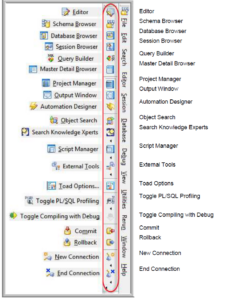
Toolbar Legends, Toad for Oracle 11.6
Toolbar buttons and menu icons have been updated in Toad for Oracle 11.6. Their familiar placement will allow you to quickly grow accustomed to the updated images. Toolbar legends Main toolbar Ed...

What’s new in Toad for DB2 v7.0
We are pleased to announce the 7.0 release of Toad for DB2 which went GA on April 15, 2019. This Blog highlights many of the new features and enhancement introduced in Toad for DB2 v7.0. General En...