Criteria for Terminating SQL in the Batch Run
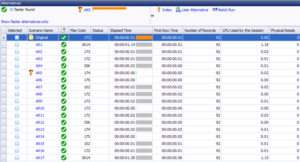
This tips covers the options for terminating the SQL alternatives when they are executed in the Batch Run in the Optimize SQL module. The SQL optimization process in the Optimize SQL module generates ...

This tips covers the options for terminating the SQL alternatives when they are executed in the Batch Run in the Optimize SQL module. The SQL optimization process in the Optimize SQL module generates ...
This tip covers how to consider the disk I/O when selecting the best SQL alternative. When selecting the best performing SQL statement for your application, how should disk I/O be weighed in compariso...
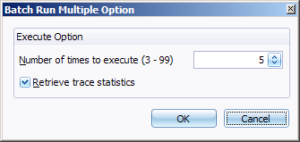
When you are executing SQL statements to find which one is the best, you need to take into consideration the factors that can skew the accuracy of the results of the testing. These factors include cac...
When you are executing SQL statements to find which one is the best, you need to take into consideration the factors that can skew the accuracy of the test results. These factors include caching the d...
Watch how Toad for Oracle simplifies application development and quickly improves your productivity. You can download a free 30-day Trial (select Developer Edition for components intended for developm...
Learn how Toad for Oracle simplifies the job of Oracle database management. You can download a free 30-day Trial (select DBA Edition for components intended for DBAs)...
Learn how Toad for Oracle can improve your development and database administration productivity....
Q: How do I change my connection color? A: In Toad for Oracle 11: Click on a connection in the log-in window. Scroll over to the Color column. Click within that field to access the list of colors. ...
How do you jump to a previously defined bookmark in SQL Edit/Procedure Edit windows? In Toad for Oracle 11.6 and later, see the "Bookmarks" topic in Help. Note: To jump back to a bookmark »...
For example, I would like to set the word wrapping options… In Toad for Oracle 11.6, go to Options | Editor | Behavior to find Word Wrap. Regarding earlier versions: You can set a fixed or variable m...
The DBMS Debugger debugs PL/SQL. Using the Debugger, you can set breakpoints, watches, and see call stacks. In addition, you can view DBMS output. Note: When using the PL/SQL Debugger and connecting ...
DBMS Output doesn't display while PL/SQL executes because the DBMS buffer is not released by Oracle until the PL/SQL block completes. If you are not seeing the DBMS Output after the block executes, m...