How to Quickly Divide Large Database Models
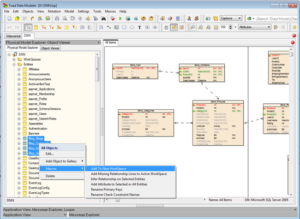
If you wish to divide large model to multiple workspaces (WS) you have to create new workspace in Toad Data Modeler first and then select objects that should be displayed on the WS. In certain situati...

If you wish to divide large model to multiple workspaces (WS) you have to create new workspace in Toad Data Modeler first and then select objects that should be displayed on the WS. In certain situati...
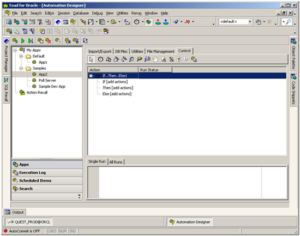
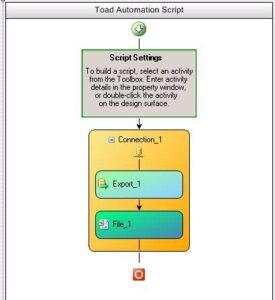
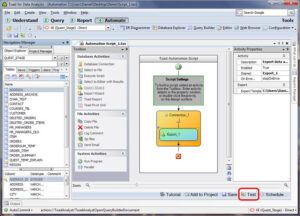
Wouldn’t it be nice if there was an easy way to free up the time spent performing some of those routine manually-performed DBA tasks? Toad’s Automation Designer helps accomplish this by providing a ha...
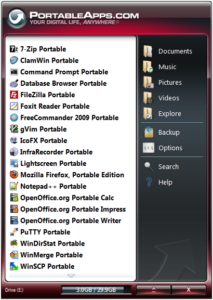
A few years ago I wrote a blog titled “Run Toad off a USB Flash Drive”. It’s been a fairly popular blog, but it’s also quite out dated now – so I thought I’d update it. The original blog had several ...
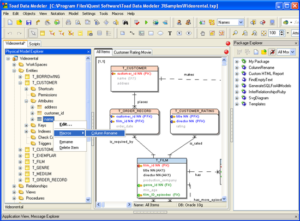
In case you renamed a column and do not want to spend too much time by comparing your model with your database, going through the Sync & Convert Wizard etc., take advantage of simple macro that will p...
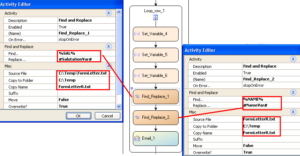
One of my favorite features of Toad Data Point is automating complex excel reports. Most reports consist of several sets of data and formatting to make the data attractive or easily readable for the e...
Toad Data Modeler is an extensible software and new features or modifications can be added to the software also via scripts created by users or our dev team. The scripts can be distributed as packages...
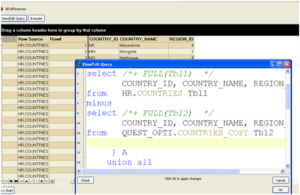
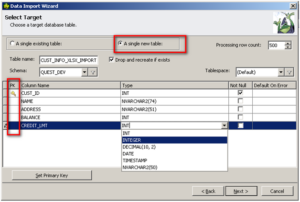
Today I want to talk about something that should be beneficial to any person who has ever needed to connect to an Oracle database, comparing data. By that I mean, taking two sets of data and examining...
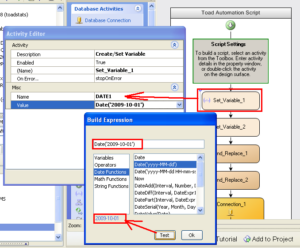
I don’t know about you but I don’t particularly like dealing with dates in SQL. Unfortunately I don’t seem to be able to avoid them as most of my automated reports deal with a date range. In this post...
In Toad for Data Analysts 2.5 Automation Variables were added which greatly expanded what you could accomplish in an automation script. Variables can be used in almost every activity. This post lightl...
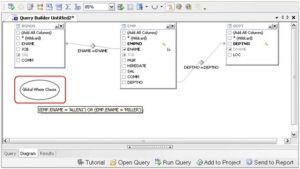
The Query Builder in Toad Data Point allows you to enter a SELECT statement in the Query tab and reverse engineer it into a visual representation on the Diagram tab. This can be very useful when migra...
If there’s one thing that people ask me it’s “How can I use Toad for Data Analysts to automatically update my Excel report?” I’ll show you how you can get your Excel reports to update from the databas...
I thought for today we could spend a few minutes on what users may benefit the most from Toad’s cousin, Toad Data Point. This blog will concentrate on working with SQL. 1. SQL Recall The time you’ve ...