


This video shows how to enable code quality assurance with Toad for Oracle Xpert Edition.

About the Author
John Pocknell is a senior market strategist at Quest Software and part of the Information Management business unit. Based at the European headquarters in the U.K., John is responsible for synthesizing analyst data and customer interviews in order to create and evangelize solutions-based stories and messaging which relate to major IT initiatives for our extensive portfolio of database products, worldwide. He has been with Quest Software since 2000, working in the database design, development and deployment product areas and spent over 10 years as product manager for the Toad product line. John has been successfully evangelizing Toad and other database solutions at various conferences and user groups around the world for the last 19 years as well as writing blogs and technical papers both internally and for the media. John has worked in IT for more than 30 years, most of that time in Oracle application design and development. He is a qualified aeronautical engineer with more than 10 years of experience in provisioning IT consultancy services and implementing quality assurance systems to ISO 9001.
Related Articles
SQL SERVER – Unable to See Tables (Objects) in SSMS
Once I was thrown into an interesting situation where a client told me that he can see the data from the table but not the table. I asked him to elaborate more and he sent me below screenshots where h...

Toad for Oracle – How To Debug PLSQL code that uses the HTP or HTF...
When using the debugger in TOAD you are able to set various options, paramters etc in a small anonymous block of PL/SQL. While this is fine for non-web oriented PL/SQL code, it doesn’t work with Web b...
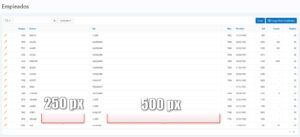
Cómo manejar el ancho de columnas en los Informes en Oracle APEX 5.1
Deben existir diferentes formas de manejar el ancho de columnas en los informes en Oracle APEX 5.1. En este artículo voy a mostrar dos de ellas. Por ejemplo, tenemos un informe interactivo de la tabl...