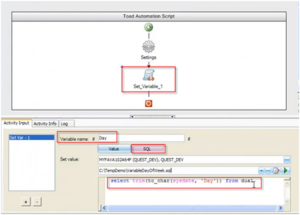
In this episode of the Toad Tips and Tricks series, you’ll learn how to verify data across different database platforms using the compare and sync wizard found in Toad Data Point. After you’ve migrated data from one platform to another using Toad Data Point, the compare and synch wizard lets you verify that data’s accuracy, and synchronize data between the two platforms if you find discrepancies.
Related Articles
Configuring an Oracle Database to have a ‘self-cleaning’ PLAN_TABLE
On the database server, go to $ORACLE_HOME/rdbms/admin copy utlxplan.sql to utlxplan.sql.original – you don’t want to lose the original Oracle script. Edit utlxplan.sql and change it to the following...
Getting Started with Toad for DB2 Chapter 9 The Basics – Customize...
Toad DB2 Expert, Jeff Podlasek demonstrates how you can customize Toad for DB2....
Adding Extended Properties to All Objects (SQL Server Models)
In SQL Server models you can define Extended Properties to various objects manually. In case you wish to add extended properties to multiple objects at once, download a small macro from here. Extract...