Skip to content
Quest Logo
  • United States (English)
  • Brazil (Português)
  • China (中文)
  • France (Français)
  • Germany (Deutsch)
  • Japan (日本語)
  • Mexico (Español)
Free Trials
Platform
Solutions
Main Menu
  • Solutions Overview
  • Data Solutions
  • Security Solutions
  • Migrate Solutions
Products
Main Menu
  • Product Overview
About
Main Menu
  • About Quest Software
  • Leadership
  • Newsroom
  • Press Release
Resources
Main Menu
  • All Resources
  • Customer Cases
  • Newsroom
  • Blog
Partners
Main Menu
  • Partner Program
  • Technology Partners
Support
Main Menu
  • Support Overview
  • 24/7 Incident Response
  • Skills 101 Training
United States (EN)
Main Menu
  • United States (English)
  • Brazil (Português)
  • China (中文)
  • France (Français)
  • Germany (Deutsch)
  • Japan (日本語)
  • Mexico (Español)
The Quest BlogBlog
  • Topics
    • Security
    • Backup & Recovery
    • Data Operations
    • Migration
    • Active Directory
    • Office 365 / Microsoft 365
    • Microsoft Teams
    • Entra ID/Azure Active Directory
    • SQL Server
    • OneDrive
    • SharePoint
  • Resources
    • All Resources
    • Learning Hub
  • Toggle website search
Menu Close
  • Topics
    • Security
    • Backup & Recovery
    • Data Operations
    • Migration
    • Active Directory
    • Office 365 / Microsoft 365
    • Microsoft Teams
    • Entra ID/Azure Active Directory
    • SQL Server
    • OneDrive
    • SharePoint
  • Resources
    • All Resources
    • Learning Hub
  • Toggle website search
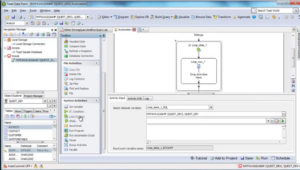
Using the loop dataset in Automation in Toad Data Point 3.3 and later
Blogs | Toad

Using the loop dataset in Automation in Toad Data Point 3.3 and later

Post author:Written By Debbie Peabody | Post published:May 22, 2013
Using the loop dataset in Automation in Toad Data Point 3.3 and later
Tags: Analysis, automation, Toad Data Point, Toad Data Point Videos, Video
Share

Related Articles

  • Toad
Toad for Oracle – GUI Q&A

Toad for Oracle – GUI Q&A

By  Steve Hilker | February 27, 2013

Q: How do I change my connection color? A: In Toad for Oracle 11: Click on a connection in the log-in window. Scroll over to the Color column. Click within that field to access the list of colors. ...

Read More →
  • Toad
Db2 12 SQL Enhancement: Temporal Logical Transactions

Db2 12 SQL Enhancement: Temporal Logical Transactions

By  Robert Catterall | November 21, 2017

Temporal data support, introduced with Db2 10 for z/OS, is one of the more interesting SQL-related Db2 enhancements delivered in recent releases of the DBMS. Temporal data support comes in two flavors...

Read More →
  • Toad
Toad for Oracle – Why can’t I customize my toolbar?

Toad for Oracle – Why can’t I customize my toolbar?

By  Steve Hilker | October 29, 2012

Why can't I customize my toolbar? The "Customize" item on the Tools menu is grayed out, and when I right-click over the toolbar, there is no "Customize" menu item like there used to be. (Scroll down f...

Read More →

Subscribe for Quest Software Blog Updates

Error Message
Error Message
Error Message

You may withdraw your consent at any time. Please visit our Privacy Statement for additional information

Please turn off your ad blocker and refresh the page to subscribe.

Subscribe
×

Successfully submitted!

You will hear from us soon!

Platform Platform

  • All Platforms

Solutions

  • Solutions Overview
  • Data Solutions
  • Cybersecurity Solutions
  • Migration Solutions

Products

  • Products Overview

About

  • About Us
  • Leadership
  • Newsroom
  • Careers
  • Contact Us

Resources

  • All Resources
  • Customer Cases
  • Blogs
  • Forums
  • Learning Hub
  • Free Trials

Partners

  • Partner Program
  • Technology Partners
  • Partner Portal

Support

  • Support Overview
  • 24/7 Incident Response
  • Skills 101 Training
  • Community
  • Support Portal
Quest Logo

Quest Software creates technology and solutions that build the foundation for enterprise AI. Focused on data management and governance, cybersecurity and platform modernization, Quest helps organizations address their most pressing challenges and make the promise of AI a reality. Around the globe, more than 45,000 companies including over 90% of the Fortune 500 count on Quest Software.

United States (English)
  • United States (English)
  • Deutschland (Deutsch)
  • France (Français)
Legal | Terms of Use | Privacy Policy | Your Privacy Choices | Cookie Use Policy | Accessibility

© 2026 Quest Software Inc. All Rights Reserved.